The complete CMS for organizations.

Design, content, access control, publishing and built-in AI in one system. Simple enough to start with a few pages, deep enough for the day you have thousands.Content, design, teams and publishing in one place. Start small, grow to thousands.
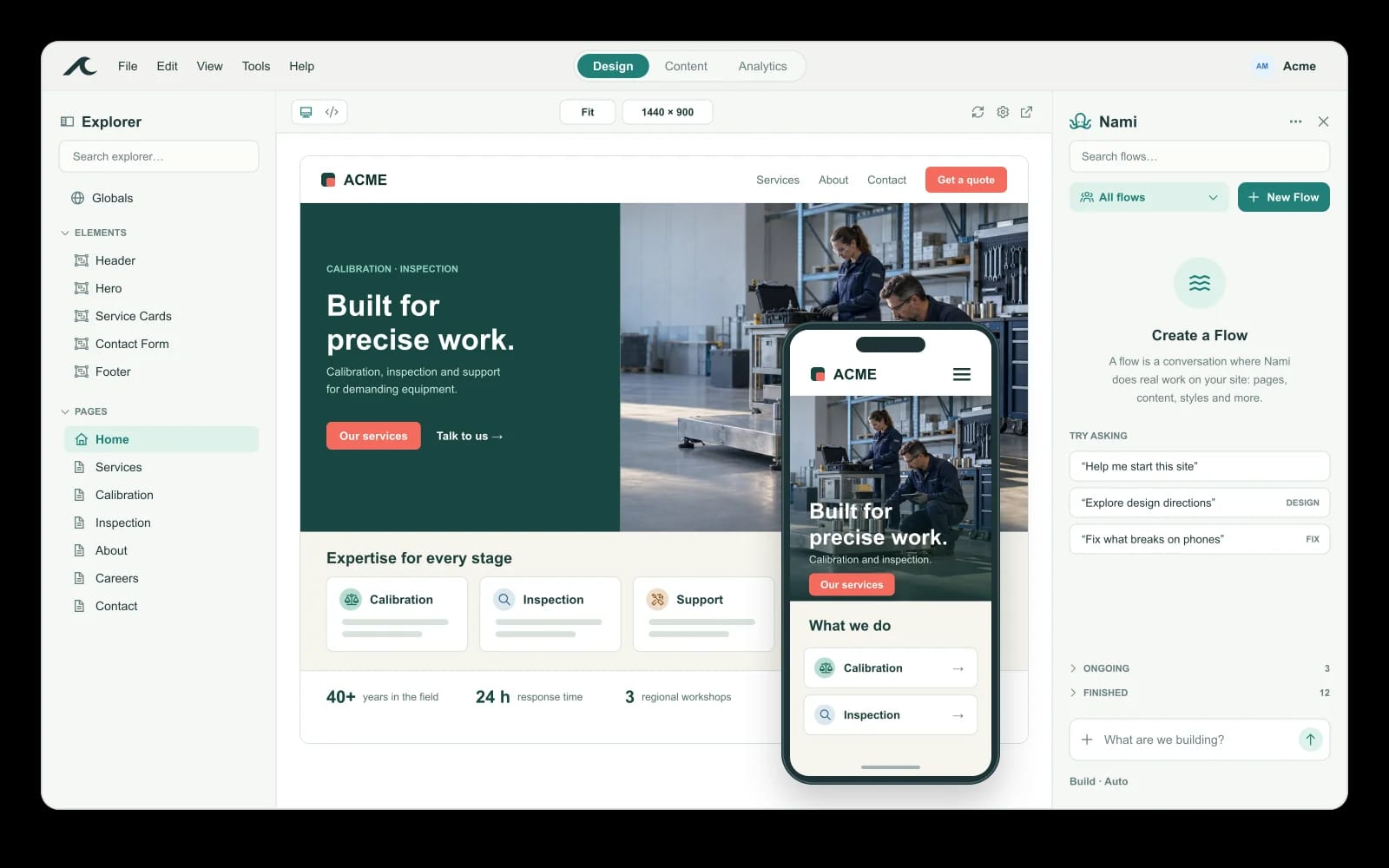
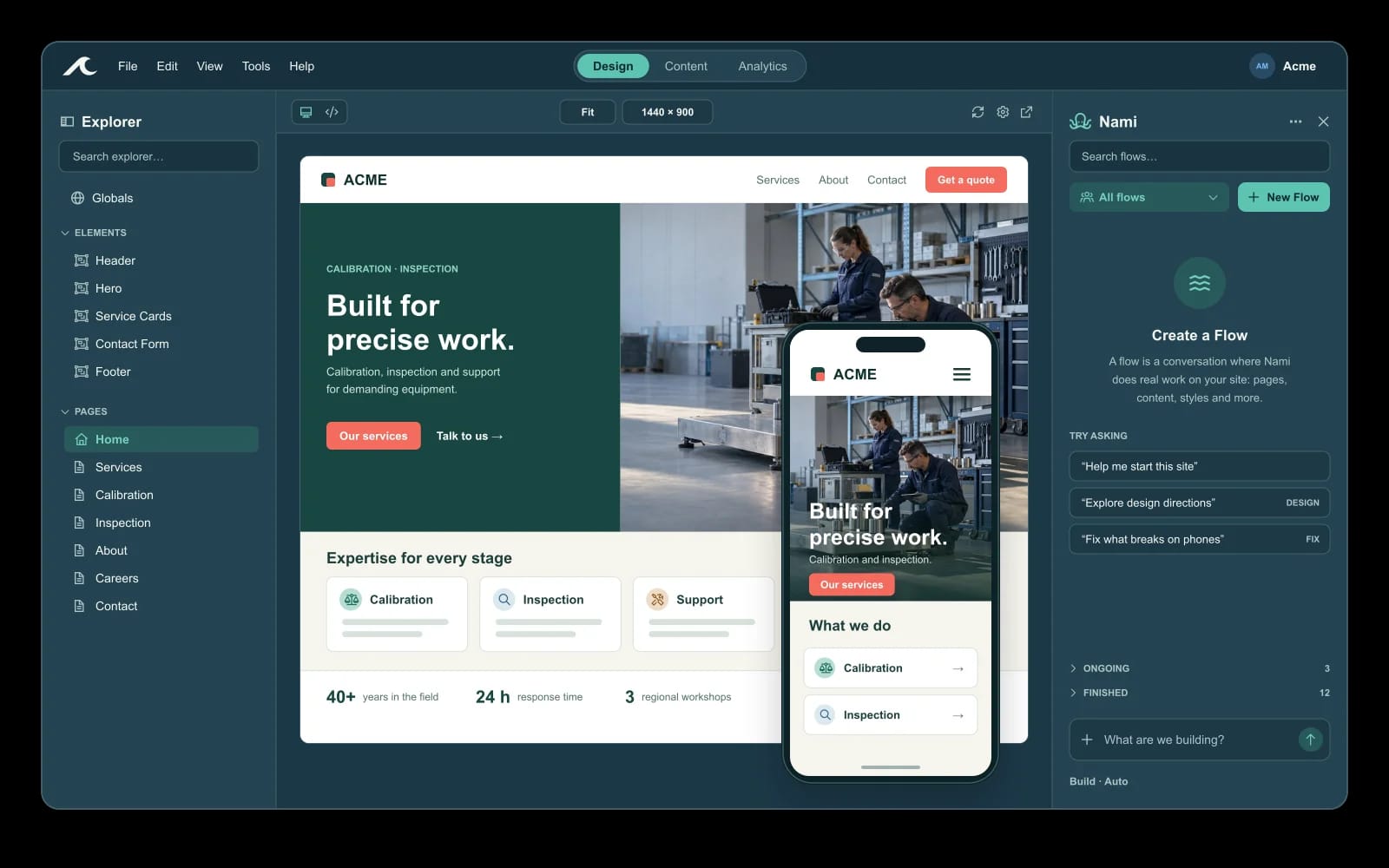
Illustrative Waves Studio with desktop and mobile site previews Illustrative Waves Studio with desktop and mobile site previews
  • Private drafts
  • Role-based access
  • Built-in AI
  • Hosting included

A website is never finished.
Three kinds of Monday.

Service page

The service page needs a fix.

Update hours, add a location or launch a campaign banner while a teammate maintains the shared design.

Story

Today's story goes up.

An editor fills in headline, byline, media and topics. The site places the story in the right sections.

Nami

Nami drafts, a person decides.

Nami is the built-in AI assistant. It drafts changes for review; someone with publish access makes them live.

Room to grow

Start with a page. Keep going to thousands.

Day one A team An organization
Content Pages, media and forms. Content types with typed fields, shared by everyone. References between entries and saved queries that feed any template.
People One person can run it. Roles for read, write, publish and admin. Groups, with access set per organization or per site.
Publishing Edit, then publish. Drafts and review before anything goes live. Publish events recorded; items revertable one at a time.
Sites One site, one domain, hosting included. Custom domain, sitemaps and SEO metadata. Several sites in one organization, plus a management API.

In the wild

Running in production today.

See the showcase →

Bring a website job. We'll walk it through waves.

Request a walkthrough Already have an account? Sign in

Publishing

Publish with confidence

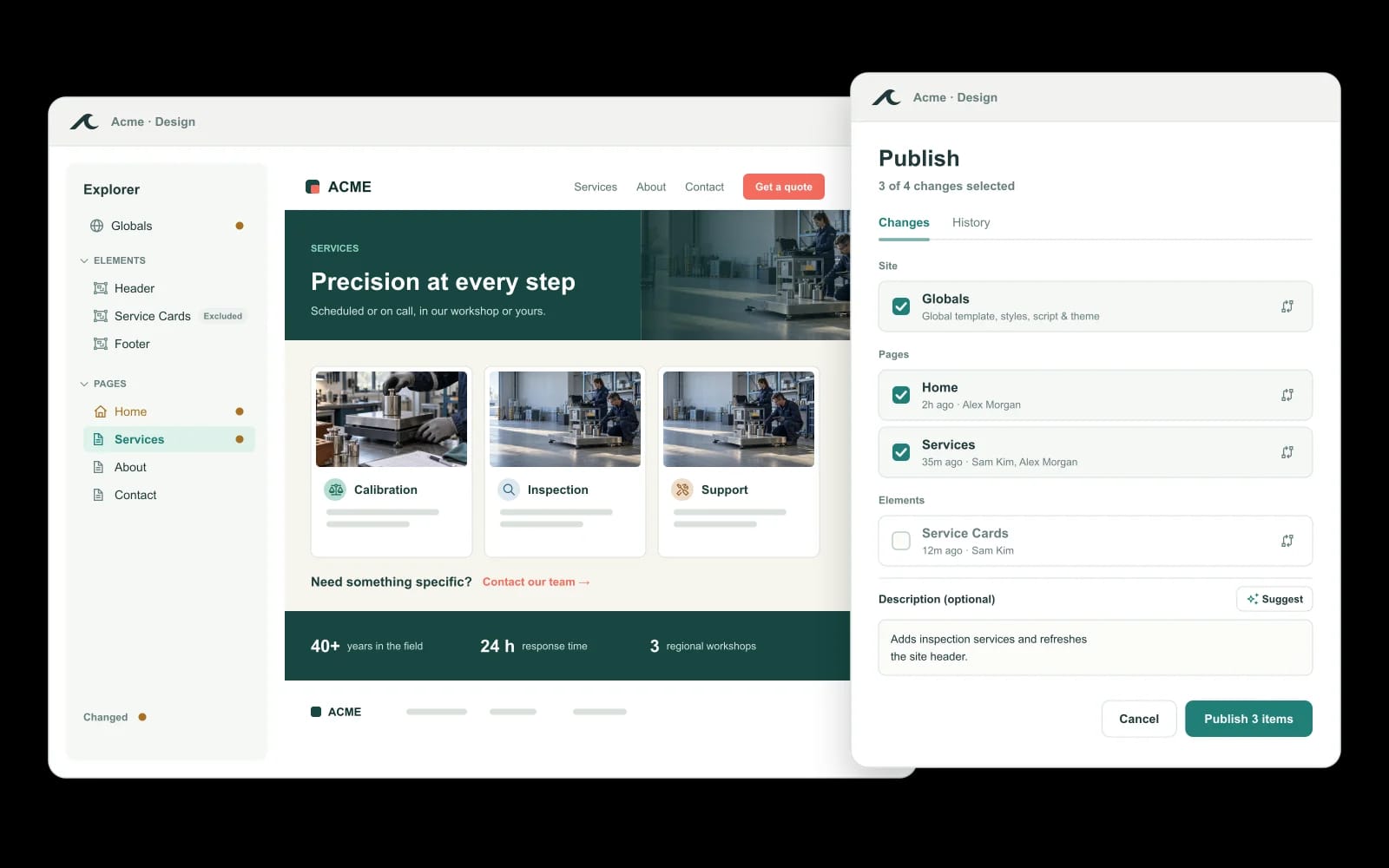
Keep work moving without putting unfinished changes in front of visitors. Every page, entry, form and reusable element has a draft and a published state, so your team can keep editing while visitors see only what is live.

  • Contributors edit without touching the live site
  • Publishing is a separate permission from editing
  • Every publish is recorded
  • Individual items can be reverted
Spring campaign · Services page In review
Services page Hours and location updated
In review
Spring banner Waiting on a reviewer
In review
Campaign entry Fields complete, media attached
In review

Visitors see: the current live page. Waiting on someone with publish access.

Who can do what

Illustrative roles. Yours are set per organization or site.

Role Read Write Publish
Contributor Yes Yes No
Editor Yes Yes No
Publisher Yes Yes Yes
01

Keep editing safely

Drafts live apart from the published site, so half-finished work never reaches visitors.

02

Know who can publish

Editing access does not grant publishing. Someone with publish access decides what goes live.

03

See what went live

Publish events are recorded, and individual items can be reverted if something needs to come back.

See publishing on a real site

Request a walkthrough

Content

Content that goes further

Define what a story, service, event or program needs once. Each entry gets its own page, URL and layout, and the same content can appear anywhere on your site. Add a thousand and nothing breaks.

  • Typed fields: text, rich text, selections, media and references
  • Entries have drafts and publication states
  • Saved queries feed any template
  • Entries relate to each other through references
Illustrative Waves content model beside a content entry Illustrative Waves content model beside a content entry
01

Structure once

Fields keep every story or service consistent, whoever fills it in.

02

Use it everywhere

Saved queries let templates place the same content in different parts of the site.

03

Grow without rework

More entries do not mean more pages to hand-build.

See content on a real site

Request a walkthrough

People

Your team, working together

Marketing, editorial and design contributors work in the same site without routing every change through one person. Roles and groups decide who can read, write, publish and administer, and the server enforces them.

  • Read, write, publish and admin are separate capabilities
  • Permissions are enforced on the server
  • Set access per organization or per site
  • Roles and groups match how your team works
Illustrative Waves people and access management Illustrative Waves people and access management
01

Share the work

Contributors move at their own pace instead of queueing behind one specialist.

02

Keep control

Access to an editor does not automatically grant the right to publish.

03

Run several sites

One organization can operate multiple sites with access assigned at either level.

See team access on a real site

Request a walkthrough

Nami

Make changes with Nami

Nami works inside the Studio on the same pages, elements, content types, entries, forms, media and theme your team edits. Ask for a change in plain language, review it, and publish it the way you publish anything else.

  • Works on real pages and content, not mockups
  • Acts within the permissions of the person asking
  • Consequential changes need approval
  • Site and organization guides shape its work
Illustrative Nami flow asking a question beside a page preview Illustrative Nami flow asking a question beside a page preview
01

Say it in plain words

Describe the change you want; Nami drafts it in your site.

02

Review like any edit

Nothing is a separate copy. Changes sit in drafts for a person to check.

03

Within your limits

Nami respects current permissions, and approval controls apply to consequential writes.

See Nami on a real site

Request a walkthrough